Boost Your Browser Experience with OnBrowser
OnBrowser optimizes performance, monitors activity, and provides smart tools to make your browsing faster, safer, and more efficient—across all browsers.
Powerful Browser Management & Privacy Tools
Everything you need to protect and control your browsing environment

Unified Browser Control
Manage extensions, settings, and browser permissions across Chrome, Edge, Firefox, Brave, and more — all in one place.

Privacy & Security Dashboard
View and manage essential privacy tools like ad blockers, password managers, and tracker protection.

Smart Extension Management
Enable, disable, or install supported privacy extensions with one click — without digging through browser menus.

One Click Setup
Instantly configure recommended privacy tools and settings to enhance protection in seconds.

Real-Time Monitoring
Keep an eye on browser activity and ensure your protection stays active at all times.

Secure Integration
Works seamlessly with all major browsers and trusted extensions for stable, safe performance.
See OnBrowser in Action
Discover how OnBrowser keeps any browser optimized and secure
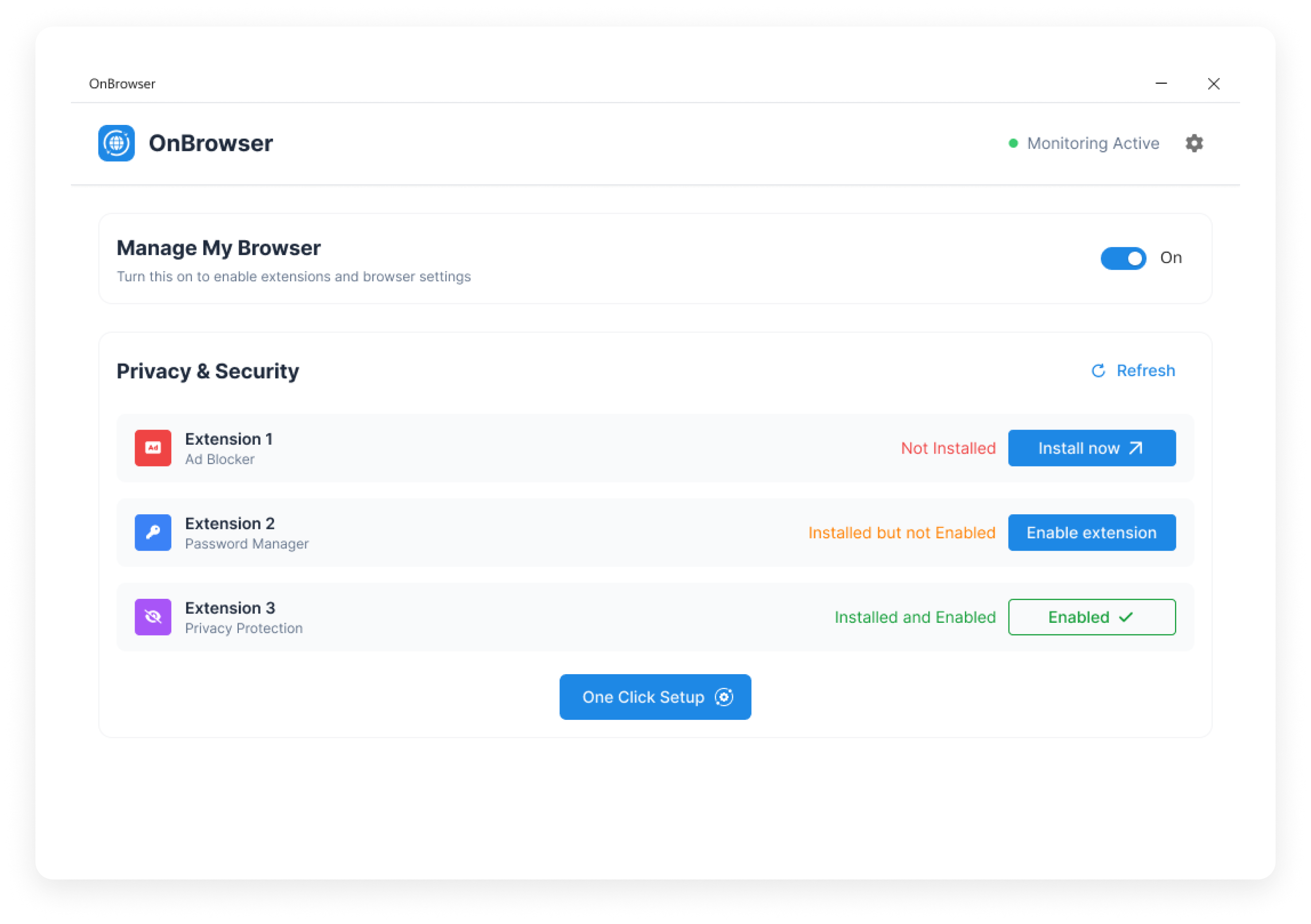
Manage My Browser
Enable or disable browser management features with one simple toggle.
Active Monitoring Status
Stay informed with real-time "Monitoring Active" indicators showing that OnBrowser is protecting you in the background.
One Click Setup
Instantly apply recommended privacy settings and enable top-tier protection extensions.
Your Complete Browser Privacy Solution
All the ways OnBrowser makes browser control simple and secure

Centralized Management
Access and manage browser security tools without switching between browsers.

Trusted Integrations
Works seamlessly with leading extensions that protect privacy and enhance security.

Quick Activation
Install and enable tools in just one click for immediate protection.

Cross-Browser Support
Works across all major browsers for consistent, unified privacy control.

Reliable Monitoring
Always know when your browser is protected with active monitoring indicators

Automatic Updates
Always stay protected with automatic security and extension updates.
Start Optimizing Your Browser

OnBrowser
Optimized for a seamless, secure, and high-performance browsing experience.
Size: 12.5 MB
System: Windows 10/11
One-Click Setup
Extension Management Dashboard
Real-Time Monitoring
Instant download • No registration required
Get in Touch
Have questions about OnBrowser? We're here to help!


 above
above